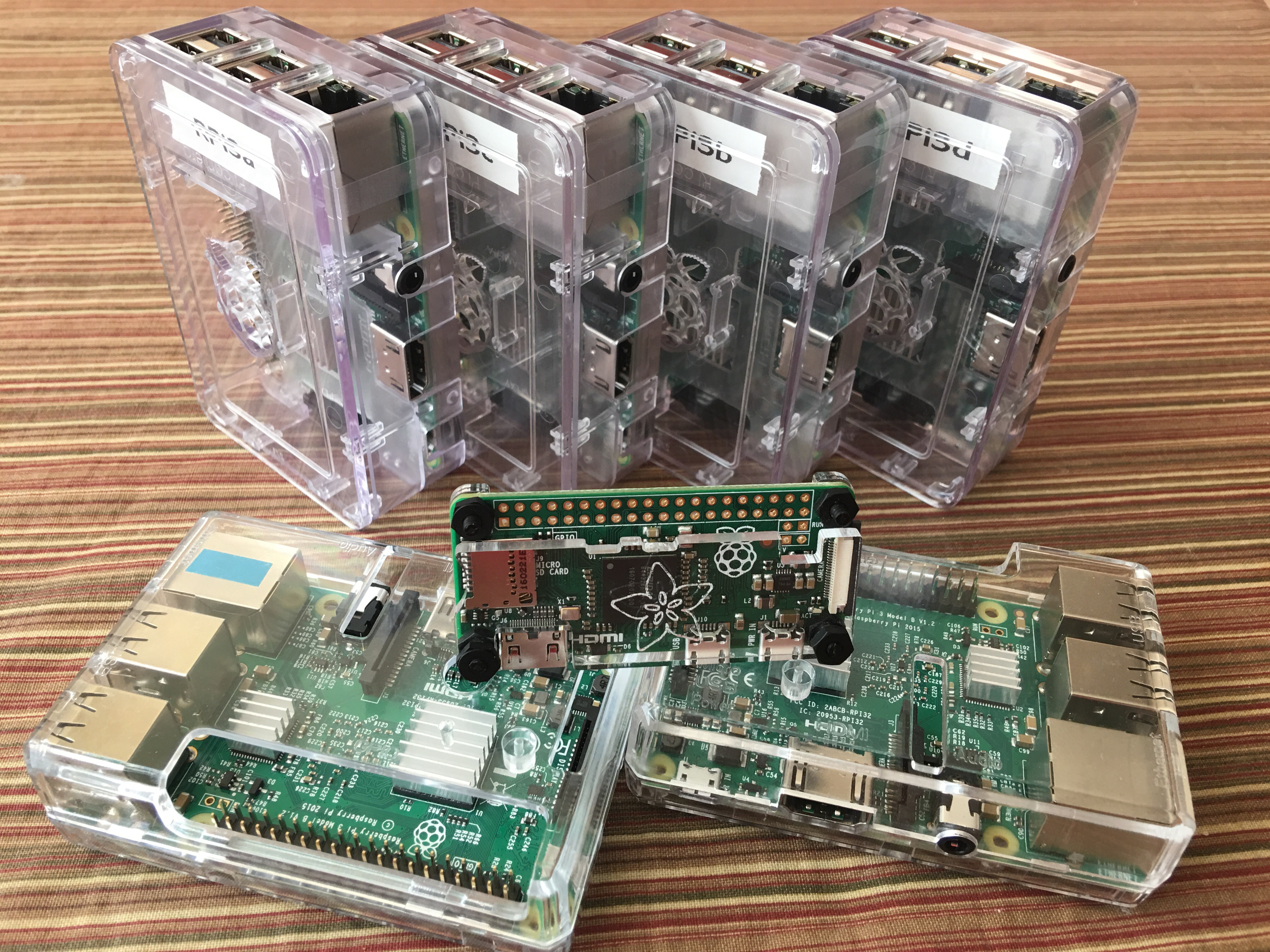
Got several Raspberry Pi 3 computers together to do a show and tell with the Rio Rancho Public Schools (RRPS) Native American Parent Advisory Committee (NAPAC) meeting tonight. Should be fun! Look for another post on the results of the meeting.

Trusted Adviser in Information Technology & Business with a focus on Native American success. IBMer, Tribal Business Expert, STEM Educator, and Fly-fisher!
Got several Raspberry Pi 3 computers together to do a show and tell with the Rio Rancho Public Schools (RRPS) Native American Parent Advisory Committee (NAPAC) meeting tonight. Should be fun! Look for another post on the results of the meeting.
 I’ve been involved with personal computers for a long time, long enough to know a bit about browser security and good tools when I see them.
For one, I always think it’s better to use a 3rd party browser vs the native browser that comes with the operating system or computer. I have been a big fan of the Firefox browser since it first came out, a separate application install meant security updates to the browser were not tied to the underlying operating system. In addition, the open source nature, extensions, and plugin support meant there is a open framework for getting problems fixed quick and adding new features relatively simple.
There are two firefox browser additions I want to make people aware of, I use them to minimize the number of ads I see on most websites (sometimes ads lead to some unsafe sites) and the other forces a secure connection to most websites to help prevent network eavesdropping.
I’m sure there are other security related additions, these are just two I found most useful.
Hope this helps keep your browsing safe!
– Dom
 Just a quick plug about PodCampAZ 2010 coming up here on November 20 & 21, a event I will be attending.
I attended PodCampAZ 2009 last year, really by chance. I had a weekend free and we were already visiting family in the Phoenix area for the Thanksgiving holidays.
Based on reading the website before the event, I figured I’d get a chance to see what the world of new media and social networking looked like since most of my career was spent in data-center technologies.
The event was free, so there was very little to loose other than time, energy, and being away from my kids for a couple days.
The 2 day un-confernece (this is explained on the website) was really amazing, the power of like-minded people coming together to share information and experiences was eye-opening. I attended presentations on WordPress, Videocasting, Podcasting, and Social Media software. I also met so many people who were experts in their respective areas.
There is value in the overall socialness of this event and its ability to bring people who want to share, PodCampAZ is a great place to experience & learn from the talent in the Phoenix area first hand.
– Dom
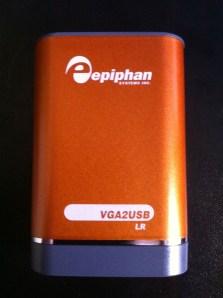 I recently purchased a Epiphan VGA2USB LR to record presentation video from workshops where multiple people present during the day.
This device is a frame grabber, it takes the VGA input from the computer and makes images, in fact it makes so many images that one can record video at 30 frames per second depending on the resolution.
I have found this device very nice to use with Camtasia.
The particular things I like are:
Here is how the video part is connected, speaker audio can be input to the recording laptop (Computer in this picture) via USB or Mic input.
 Here is a youtube video of recording using the VGA2USB LR and Camtasia:
Direct youtube link – http://www.youtube.com/watch?v=R_qDaeeteRw
If you want a in depth review of this little device, check out this blog post by Victor, it even contains a device teardown to see whats inside.
Enjoy!
– Dom
Sometimes there is a need to record the content of another presenter or a group of presenters, and installing Camtasia on each and every laptop is not practical.
I’ve also seen this solved by using a “presentation” laptop, and often there are issues with the presentation & certain versions of presentation software or fonts or formatting. I’ve done this once and at the end of the recording one presenter was confused with what was seen on the screen, did something and subsequently deleted the recording before I could get to the laptop to save it.
Another solution to this (and one of the more ideal) is through various pieces of hardware like VGA splitters and Frame Grabbers to go along with laptop and projector. I’ll do a separate post on this later.
One of the more inexpensive solutions to recording content on a remote laptop is to use remote desktop software, in most cases I use VNC since I can connect to Windows, Mac, and Linux based laptops (it’s also free from realvnc.com, though this version does not have encryption). My other choice when using Windows only is to use remote desktop.
All of this screen capturing is done over a wired or wireless TCP/IP network, and requires a fair amount of bandwidth on the local subnet. If you were to do this across the internet or intranet, the latency of screen refreshes goes up which could impact the live recording and slow down the presenter.
Below is a little video I put together to summarize what I’ve done with VNC and Camtasia (PC & Mac setup/demos). In addition I’ve included pictures of my wireless audio setup to capture the audio at the same time as the video.

The hardware pictured is of a Shure PGX wireless microphone system connected via a XLR cable to a Centrance MicPort Pro pre-amplifier which then connects USB to the laptop and appears to the system (and Camtasia) as a external microphone.
Enjoy the video!
– Dom
Direct link to video: http://www.youtube.com/watch?v=HK2bjqgm1Cs
 Dominic Pruitt